MRU PORTAL, Moodle and email: where clinical things live
Three MRU systems carry most of what touches a clinical course. MRU PORTAL, a CampusNexus self-service portal, holds the nursing student handbook, add/drop and forms; Moodle Open LMS runs your courses; Microsoft 365 email is MRU's official channel and must be checked daily. Hour logs and clearance sit in separate systems.
Get your placement plan
Tell us your MRU program and where you live. A placement advisor replies with what an MRU-ready preceptor and site look like for you.
MRU PORTAL: the handbook, add/drop and forms
The MRU PORTAL link in the mru.edu header opens a CampusNexus self-service portal, with separate logins for students, faculty and applicants. The footer's Student Portal link goes to the same system, and the Registrar's page sends you there to view schedules, change enrollment status and review your account.
For clinical students, the most important thing inside it is the current nursing student handbook. The catalog keeps pointing to that handbook for preceptor and clinical details, and we found no public copy anywhere on mru.edu. The nursing student handbook page lists what to look up in it.
Other things the catalog and Registrar place in the portal
- Add/drop, which must be done online through the portal (dates are on the calendar page)
- Forms, policies and procedures
- Testing and evaluation scheduling
- Textbook lists
- The University Complaint and Grievance Form, and the academic appeal form
- Re-entry requests, including after a clinical or professional dismissal
Moodle Open LMS: courses, exams and advising
MRU's learning management system is Moodle, hosted as Open LMS; older documents call it Moodlerooms. It is not Canvas or Blackboard. Your courses run there, and so do the tools MRU uses around exams and written work.
Online exams go through Respondus LockDown Browser, reached through the LMS, with webcam monitoring and a photo-ID check, and all graded exams must use MRU's designated virtual proctoring system. Written assignments pass through Turnitin.
Moodle also holds two things students overlook. The Office of Academic Advisement and Student Success takes appointments through its Moodle page, and an "Ask an MRU librarian" widget sits inside Moodle. One warning from the catalog: after a second missed tuition payment, your Moodle account is blocked, which in a clinical course can cut you off from course materials while hours are still due.
University email and Microsoft Teams
Student email runs on Microsoft 365, and the catalog also names Microsoft Teams. University email is MRU's primary official channel. You are expected to check it at least once a day and answer official messages within 24 hours, and mail forwarded to a personal account will not receive MRU communications.
Access from outside the US is restricted: email and Teams open only in one-week windows set up by the IT Help Desk. If you will be abroad during a clinical course, arrange that window before you leave.
For placements, use the MRU address for anything you may need to prove later. Questions about whether a preceptor or site suits a course, and the answers you get from the Office of Academic Affairs or your faculty, are safer in the account MRU treats as official than in a personal inbox or a text thread.
Where clinical records actually live
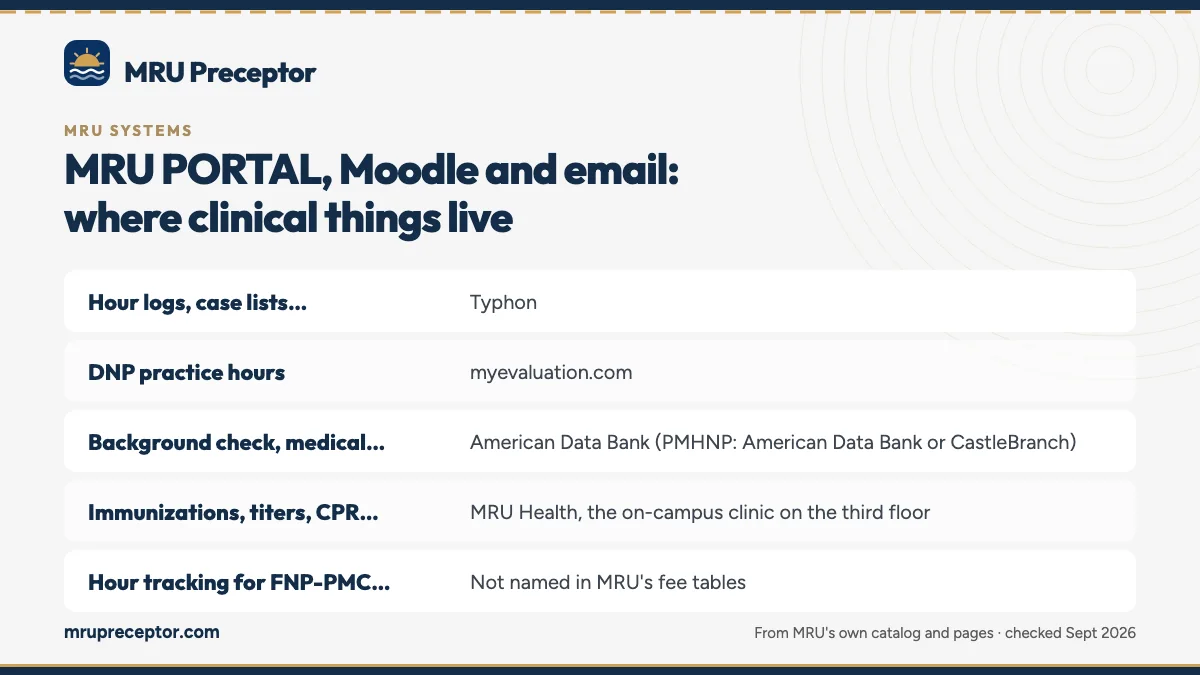
Hour logs and compliance documents are not in the portal or Moodle. MRU's fee tables name the outside systems, and they differ by program.
| What | System | Programs |
|---|---|---|
| Hour logs, case lists, clinical evaluation portfolio | Typhon | MSN-FNP, MSN Direct Entry, ASN |
| DNP practice hours | myevaluation.com | DNP |
| Background check, medical document manager, drug screening, clinical document clearance | American Data Bank (PMHNP: American Data Bank or CastleBranch) | MSN-FNP, AGACNP, PMHNP and the pre-licensure programs |
| Immunizations, titers, CPR, physical | MRU Health, the on-campus clinic on the third floor | Any student who uses it |
| Hour tracking for FNP-PMC, PMHNP and AGACNP | Not named in MRU's fee tables | Ask your course faculty |
| Preceptor approval paperwork | Not published | See the handbook in the portal |
The Typhon page covers logging, and the American Data Bank page covers clearance.
Library, devices and the IT Help Desk
The Library and Learning Resource Center gives access to about 140 databases through Gale-Cengage, EBSCO, ProQuest and Ovid, with CINAHL named for nursing. The catalog says the virtual library is open around the clock through the portal. Interlibrary loan runs through WorldShare and usually takes three to five business days.
MRU's device rules are strict. Every class needs a laptop with a webcam, a microphone and 5 GHz Wi-Fi; tablets are not allowed for testing; online and hybrid students need at least 50 Mbps. Arriving without an approved working device means a zero for that day's graded work.
All IT requests go to the IT Help Desk, by email at helpdesk@mru.edu, and the desk posts hours seven days a week. MRU also uses DocuSign for some forms, including financial-aid probation appeals.
Offices that are easy to mix up
The nursing page's button reads "WELL CONNECT (ACADEMIC ADVISING)", but the page behind it holds two separate things. The Office of Academic Advisement and Student Success is the advising office. WellConnect, powered by New Directions, is a 24/7 student support program for short-term counseling, referrals, and legal and financial consultations. Neither handles clinical placement. Disability accommodations are a third route again: they go through MRU's ADA Officer, using an Accommodation Request Form.
The Center for Student Achievement sits in the School of Nursing and focuses on NCLEX-RN preparation and academic coaching, not placements. Grievance procedures, according to the June 2026 Student Rights and Responsibilities document, are published in a "Student Hub", and MRU's public pages do not say which platform that is. For who handles what in a clinical course, see who does what at MRU.
Questions MRU students ask
Where is the MRU nursing student handbook?
Only on the student portal. The 2025 catalog says the current version is posted there, and we found no public copy on mru.edu or in MRU's online media library. If you cannot find it after logging in to MRU PORTAL, ask your program chair or the Office of Academic Affairs where it sits.
Can I forward my MRU email to Gmail?
MRU's catalog warns that mail forwarded to a personal account will not receive MRU communications, so do not rely on forwarding. Check the university inbox itself at least once a day and reply to official messages within 24 hours. Keep preceptor approval questions and their answers there too.
Can I use MRU email while traveling abroad?
Only in limited windows. The catalog restricts access to university email and Microsoft Teams from outside the US to one-week windows that the IT Help Desk opens. If you will be abroad during a clinical course, contact the Help Desk in advance so messages about your placement do not go unread.
What happens to Moodle if I miss a tuition payment?
The catalog says a student's Moodle account is blocked after a second missed tuition payment. In a clinical course that can cut you off from course materials while you are still expected to finish hours, logs and the signed evaluation by the last day. Deal with payment problems early rather than mid-term.
Is MRU's student portal the same as Moodle?
No. MRU PORTAL is the CampusNexus self-service portal for registration, add/drop, schedules, forms, your account and the student handbook. Moodle Open LMS is where courses, exams and some office pages run. You will use both every term, plus Typhon or another tracking system if your program uses one for clinical hours.
Related pages
Last checked 2026-09-24
We check these pages against MRU's own catalog, addenda and program pages. The nursing student handbook on the MRU student portal and MRU's Office of Academic Affairs have the final word.
MRU says secure your own preceptor. We start the search now.
Tell us your MRU program, where you live and when your next clinical course starts. We look for preceptors who fit the course and help you gather what MRU checks before approving them.
- Preceptors matched to the course: adult primary care for
MSN5700, women's health, pediatrics, psychiatric or acute care - Credentials, license and site details collected before MRU's credential check
- Miami-Dade, Broward and Palm Beach, or wherever in a SARA state you live
Start your placement plan
Program, city and start date is all we need to begin.